सामग्री पर जाएं
Orqra
दस्तावेज़ देखें

वर्कफ़्लो

पहला दोबारा उपयोग योग्य वर्कफ़्लो बनाएं

A reusable creative pipeline keeps the structure of the work visible: what goes in, how it is processed, what comes out, and which preset should run next.

आप क्या पूरा करेंगे

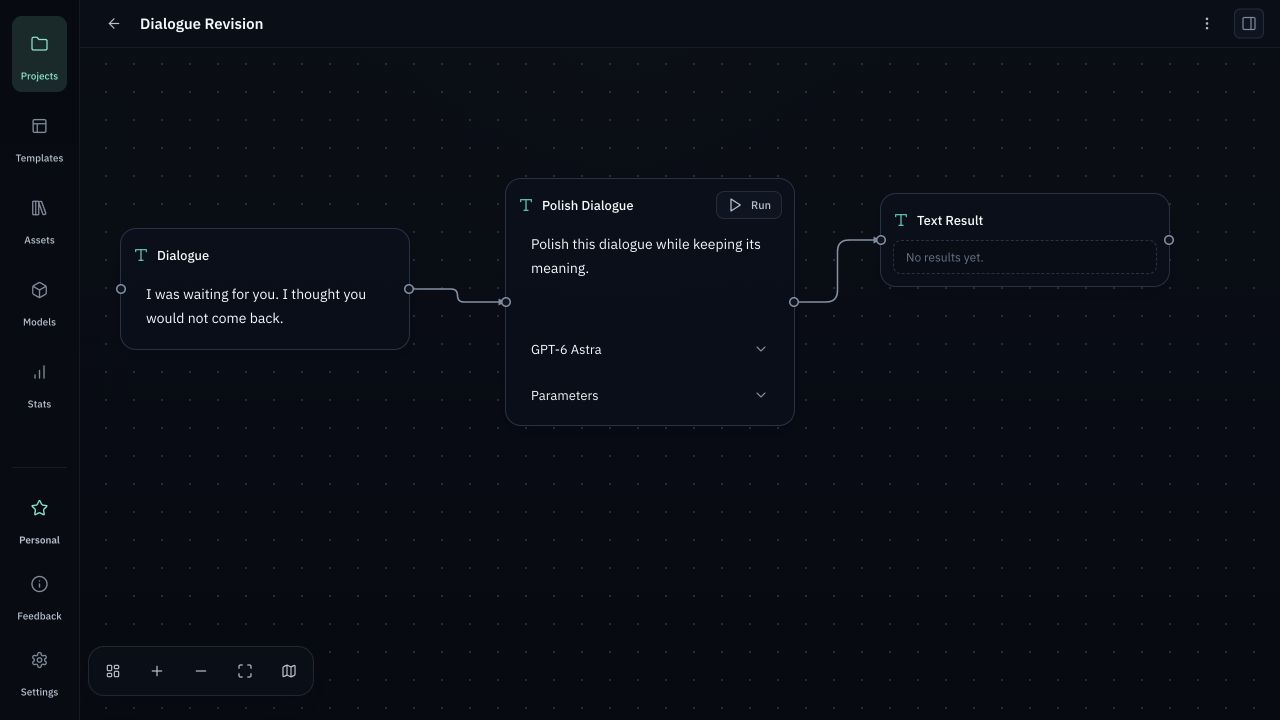
इनपुट और प्रोसेसिंग नोड जोड़ें, प्रवाह जोड़ें और आवश्यक मॉडल चुनें।

इस गाइड में

  1. 1
    Provider जोड़ें — Models में अपनी credentials जोड़ें, मॉडल चुनें, सेव करें और कनेक्शन जाँचें।
  2. 2
    प्रोजेक्ट बनाएँ — इनपुट और प्रोसेसिंग नोड जोड़ें, प्रवाह जोड़ें और आवश्यक मॉडल चुनें।
  3. 3
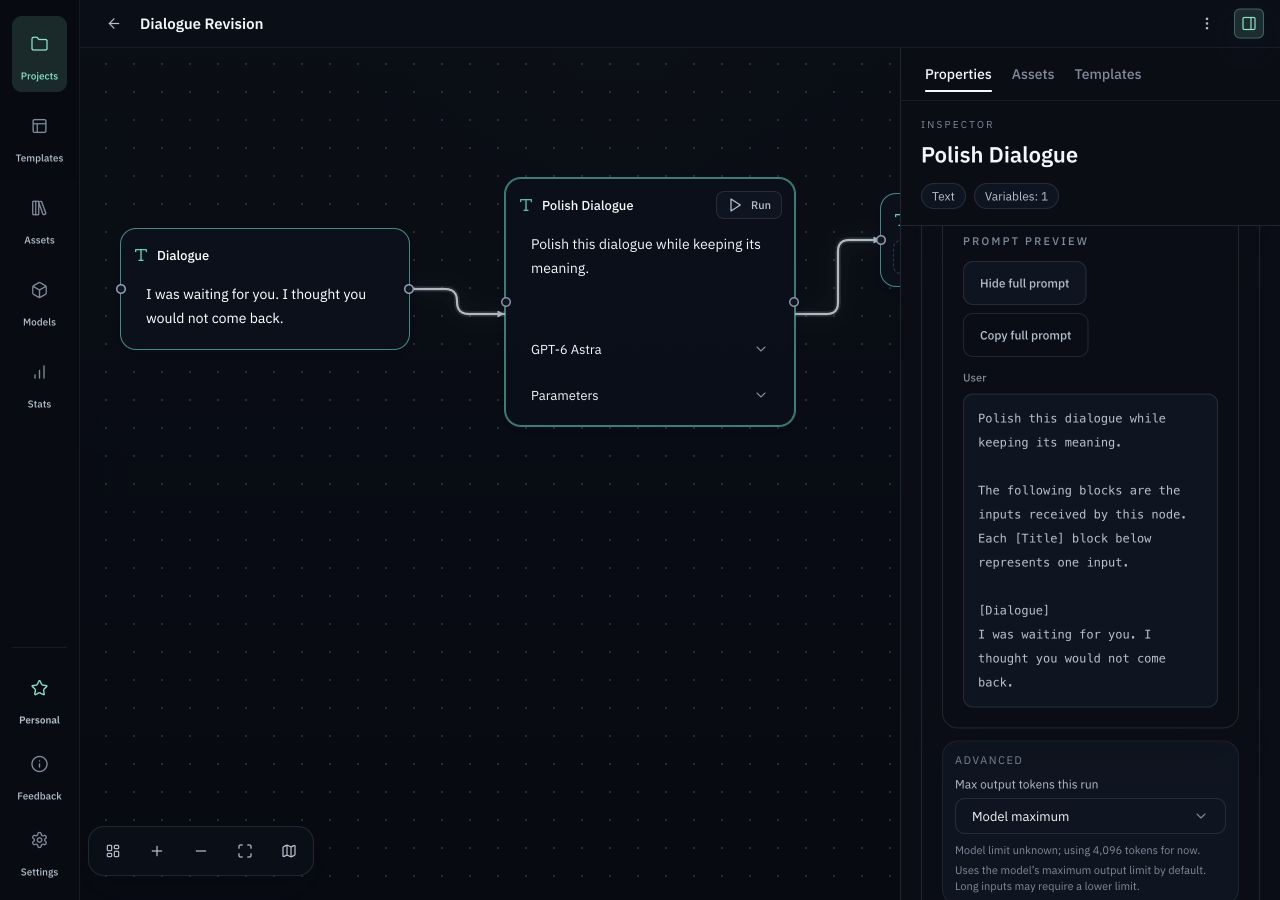
    जाँचें और चलाएँ — टेम्पलेट डालें, Request Preview देखें और सही इनपुट, मॉडल व पैरामीटर होने पर ही चलाएँ।
Define the model, prompt structure, transformation rules, and expected output format.
Processing nodeDefine the model, prompt structure, transformation rules, and expected output format.
टेम्पलेट डालें, Request Preview देखें और सही इनपुट, मॉडल व पैरामीटर होने पर ही चलाएँ।
जाँचें और चलाएँटेम्पलेट डालें, Request Preview देखें और सही इनपुट, मॉडल व पैरामीटर होने पर ही चलाएँ।

शुरू करने से पहले

  • सत्यापित बिल्ड इंस्टॉल करने के बाद Orqra चलाएँ। Free के लिए अकाउंट या License नहीं चाहिए।
  • Models में अपनी credentials जोड़ें, मॉडल चुनें, सेव करें और कनेक्शन जाँचें।
  • मॉडल उपलब्धता, क्षमताएँ, सीमाएँ और शुल्क Provider तय करता है। Orqra में AI credits शामिल नहीं हैं।

काम पूरा करें

  1. 1

    Projects

    प्रोजेक्ट बनाएँ

    इनपुट और प्रोसेसिंग नोड जोड़ें, प्रवाह जोड़ें और आवश्यक मॉडल चुनें।

    अपेक्षित परिणाम

    इनपुट और प्रोसेसिंग नोड जोड़ें, प्रवाह जोड़ें और आवश्यक मॉडल चुनें।

  2. 2

    Add node

    Input node

    Collect scripts, references, prompts, assets, and project context before a run starts.

    अपेक्षित परिणाम

    Collect scripts, references, prompts, assets, and project context before a run starts.

  3. 3

    Input node

    Processing node

    Define the model, prompt structure, transformation rules, and expected output format.

    अपेक्षित परिणाम

    Define the model, prompt structure, transformation rules, and expected output format.

  4. 4

    Processing node

    Output node

    Keep generated scenes, shot prompts, notes, and release tasks attached to the project.

    अपेक्षित परिणाम

    Keep generated scenes, shot prompts, notes, and release tasks attached to the project.

  5. 5

    Output node

    जाँचें और चलाएँ

    टेम्पलेट डालें, Request Preview देखें और सही इनपुट, मॉडल व पैरामीटर होने पर ही चलाएँ।

    अपेक्षित परिणाम

    टेम्पलेट डालें, Request Preview देखें और सही इनपुट, मॉडल व पैरामीटर होने पर ही चलाएँ।

  6. 6

    Request Preview / Run

    Reusable preset

    Save the setup so the same creative process can be repeated, reviewed, and improved.

    अपेक्षित परिणाम

    Save the setup so the same creative process can be repeated, reviewed, and improved.

दोबारा कोशिश से पहले जाँच

  • सिर्फ प्रोजेक्ट, नोड और टेम्पलेट बनाने या संपादित करने से Provider कॉल नहीं होता।
  • कनेक्शन टेस्ट और मॉडल सिंक अलग network actions हैं। Prompt और inputs केवल मॉडल चरण स्पष्ट रूप से चलाने पर भेजे जाते हैं।
  • Support के लिए projects, Prompt, outputs, local files या API Key Orqra पर upload करने की जरूरत नहीं।