Workflows
Build your first reusable workflow
A reusable creative pipeline keeps the structure of the work visible: what goes in, how it is processed, what comes out, and which preset should run next.
What you will complete
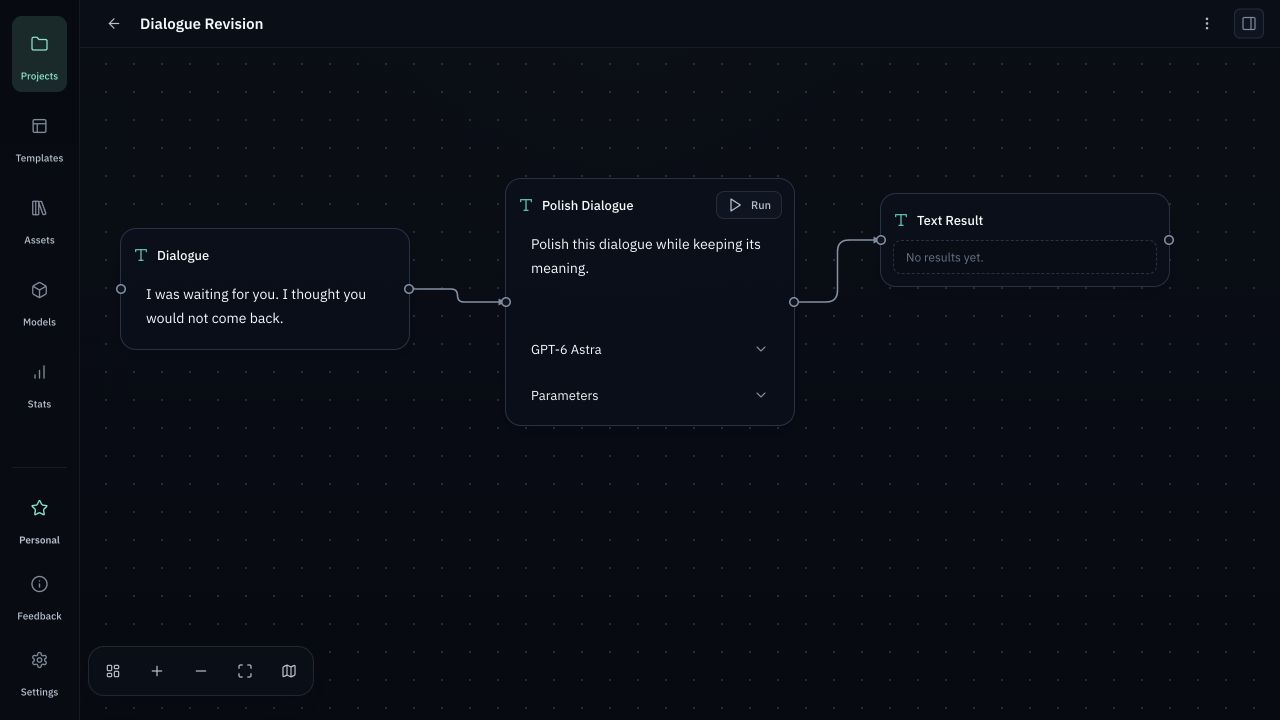
Create a project, add input and processing nodes, connect the flow, and choose the required model.
In this guide
- 1Connect a Provider — Open Models, add your own Provider credentials, choose models, save, and test the connection.
- 2Create a project — Create a project, add input and processing nodes, connect the flow, and choose the required model.
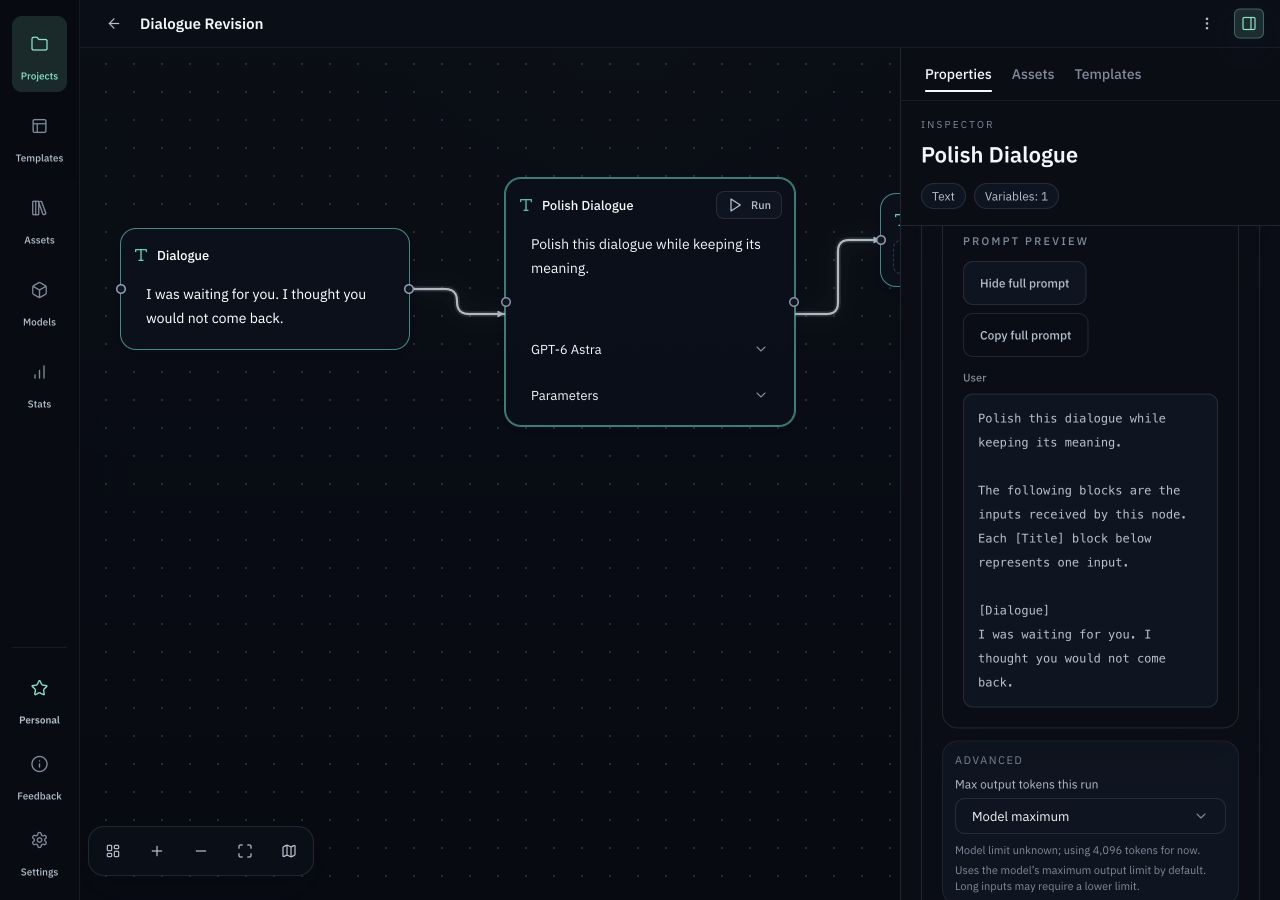
- 3Review and run — Insert reusable templates, inspect the request preview, then run only when the inputs, model, and parameters are correct.


Before you start
- After installing a verified build, launch Orqra. Free starts without an account or License.
- Open Models, add your own Provider credentials, choose models, save, and test the connection.
- Model availability, capabilities, rate limits, and fees are controlled by the Provider. Orqra does not include AI credits.
Complete the task
- 1
Projects
Create a project
Create a project, add input and processing nodes, connect the flow, and choose the required model.
Expected result
A new local project workspace is open and ready for a workflow.
- 2
Add node
Input node
Collect scripts, references, prompts, assets, and project context before a run starts.
Expected result
The input node contains the source material or project context required for the task.
- 3
Input node
Processing node
Define the model, prompt structure, transformation rules, and expected output format.
Expected result
The processing node has a compatible enabled model, task instruction, and required inputs.
- 4
Processing node
Output node
Keep generated scenes, shot prompts, notes, and release tasks attached to the project.
Expected result
The nodes are connected in the intended input-to-processing-to-output direction.
- 5
Output node
Review and run
Insert reusable templates, inspect the request preview, then run only when the inputs, model, and parameters are correct.
Expected result
Request Preview shows the request you reviewed, and the Provider call begins only after your explicit run action.
- 6
Request Preview / Run
Reusable preset
Save the setup so the same creative process can be repeated, reviewed, and improved.
Expected result
The output stays attached to the project and the workflow can be reviewed, changed, and run again.
Checks before you retry
- Creating or editing projects, nodes, and templates does not call a model Provider by itself.
- Testing a connection and syncing models are separate Provider network actions. Prompt and selected inputs are sent only when you explicitly run a model step.
- Support does not require uploading projects, prompts, outputs, local files, or model API keys to Orqra.