


Buat dan edit alur kerja
Tambahkan node, hubungkan input, lalu jalankan lagi setelah diedit.
Tangkapan layar menampilkan antarmuka bahasa Inggris dengan data demo. Detail akun dan kunci hanyalah contoh.
Di halaman ini
Tambahkan input
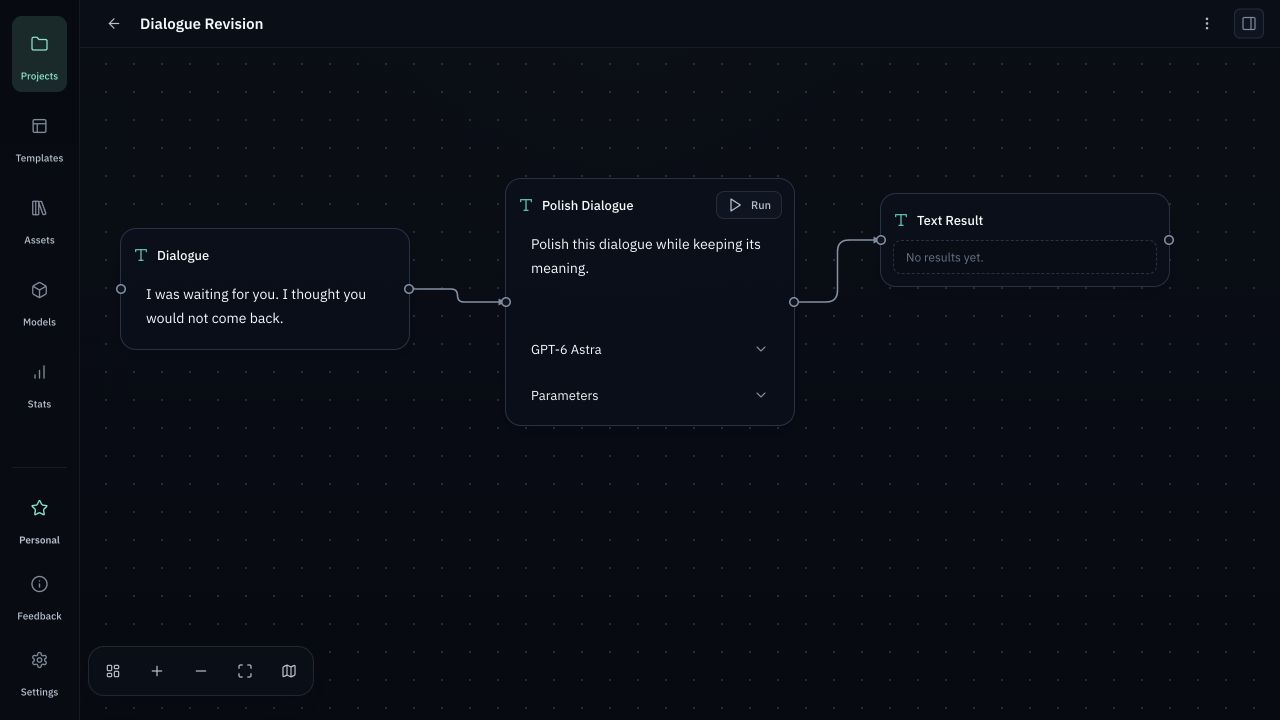
Buka proyek, klik dua kali area kosong kanvas, dan tambahkan node data teks. Masukkan konten untuk model, misalnya dialog yang ingin diperbaiki.
Hubungkan node pemrosesan AI
Tambahkan node pemrosesan AI teks dan tarik sambungan dari titik koneksi node data. Pilih model teks aktif, lalu isi Instruction dengan ‘Perbaiki dialog ini tanpa mengubah maknanya’. Input yang terhubung masuk ke konteks.
Tinjau dan jalankan
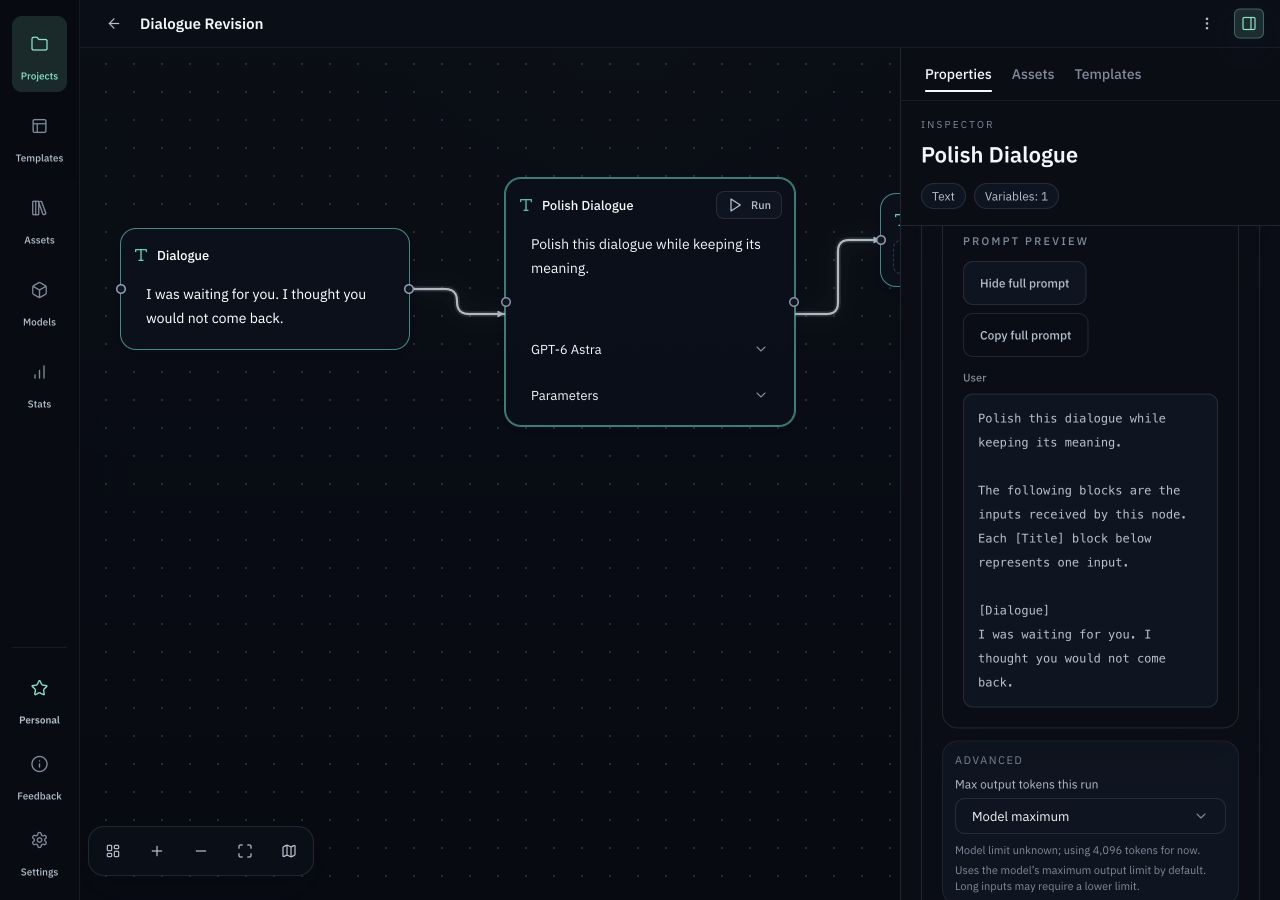
Buka Properties / Prompt Preview (Show full prompt) pada node pemrosesan untuk memeriksa input sebenarnya, instruksi, model, dan parameter. Klik Run; balasan muncul di node hasil. Kemampuan model harus cocok dengan jenis node, seperti teks atau gambar.
Edit dan jalankan lagi
Klik input sebelumnya kapan saja untuk mengeditnya, atau ubah model, instruksi, dan parameter. Mengedit tidak membuat hasil baru secara otomatis: periksa lalu jalankan lagi. Jika gagal, buka detail kegagalan. Hasil sukses sebelumnya tetap tersedia.
Simpan sebagai templat alur kerja
Pilih node yang akan digunakan ulang, lalu klik Save as Workflow Template pada bilah seleksi. Beri nama dan simpan. Lain kali, sisipkan templat dan sesuaikan inputnya.